Creating Dial In Codes
The Dial In Code Setup option allows users to create codes for the housekeeper to update the occupancy status and condition of the room after the housekeeping activities are performed in the property. The status and condition can be updated using the room telephone provided Versa is integrated with the Comtrol interface.
Breakpoint: 75050 - DialIn Code Setup (Housekeeping - Housekeeping)
Perform the following steps to create dial in codes:
Navigate to Settings à Housekeeping Setup à Dial In Code.
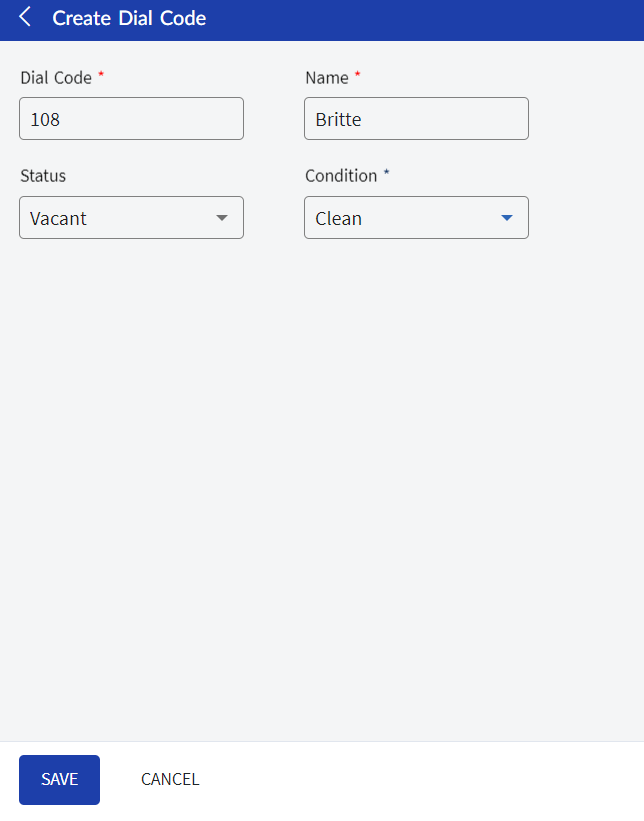
Click Create Dial In Code. The Create Dial In Code screen appears.
Refer to the following table and fill in the fields:
|
Field |
Description |
|---|---|
|
Dial Code |
A unique code to identify the housekeeping status. Up to 15 alphanumeric characters are supported. |
|
Name |
The name of the housekeeping status. Up to 50 alphanumeric characters are supported. |
|
Status |
Select the occupancy status of the room. The following options are available:
|
|
Condition |
Select the condition of the room. The following options are available:
|
Click Save. The dial in code is created and displayed in grid.
Users can also perform the following actions in the Dial In Code screen:
-
Modify the details of the dial in code using the Edit icon.
-
Delete the dial in code record using the Delete icon.
-
Search for a dial in code using the code or name.
-
Print the dial in code details using the Print icon.