Defining Per Person Increment
The Per Person Increment menu allows users to create and edit charges for additional guests in a room. Per Person Increment allows users to define the amount that must be charged on a tariff based on the number of guests and their age group.
Breakpoint: 50300 - Per Person Increment (Engineering - Manager)
Perform the following steps to add per person increment for a specific date range:
Navigate to Settings à Rates à Per Person Increment.
Click the Create PerPerson button. The Create Per Person Increment screen appears.
Select a preferred date from the Effective From and Valid Until fields.
Select a tariff and age category of the guest from the Tariff and Age Category fields, respectively.
Enter the number of guests in the Number of Toddler (the field label changes as per the value selected in the Age Category field) field. The value must be greater than 1.
Click Add. A new column with the selected age category and number of guests is displayed in the grid.
Select the age category and the number of guests from the Age Category and Number of Guests fields in Set All section, respectively.
Enter the amount that is to be added to the tariff amount in the Set All Value field.
Click Set All. The value is set for all room types.
Users can also manually enter or edit the amount for a particular room type, if required.
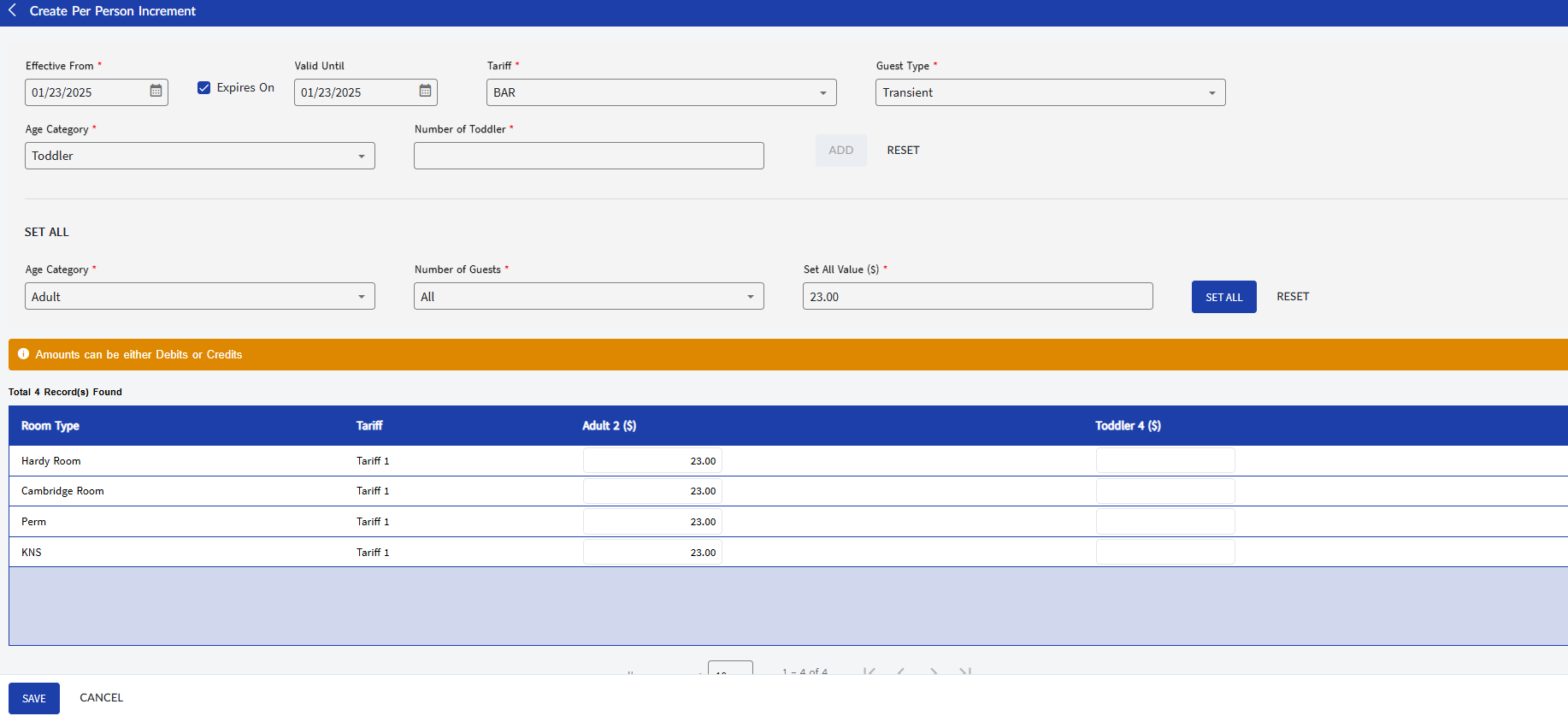
Click Save. A record will be created in the Per Person Increment screen.
By default, the Active flag is enabled. This indicates that the configured per person increment rule is active.
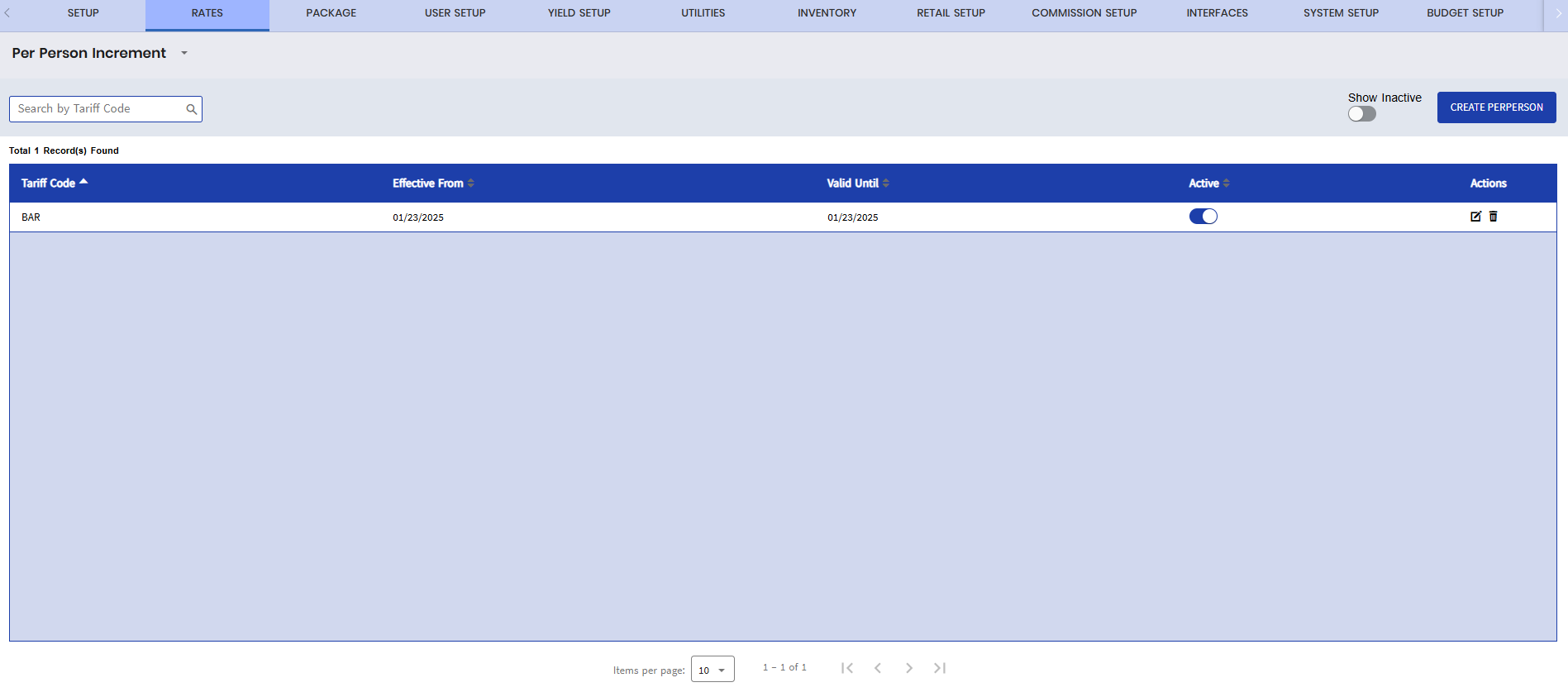
Users can also perform the following actions in the Per Person Increment screen:
-
Search for and filter records by tariff code using the Search field.
-
Edit or update a record using the Edit icon in the Actions column.
-
Delete a department using the Delete icon in the Actions column.
-
Display inactive records by enabling the Show Inactive flag.