Checklists
Users Recurring Checklists
Report Parameters
|
Field |
Description |
|---|---|
|
Report Name |
The name of the report. |
|
Users |
Select the preferred user from the drop-down list. The user records created in the New User (Settings à User Setup à Users) screen are displayed as options in the drop-down list. Users can select multiple or all the available users from the list to be displayed in the report generated. The details of the recurring checklists that have been mapped to the selected users are displayed in the report. |
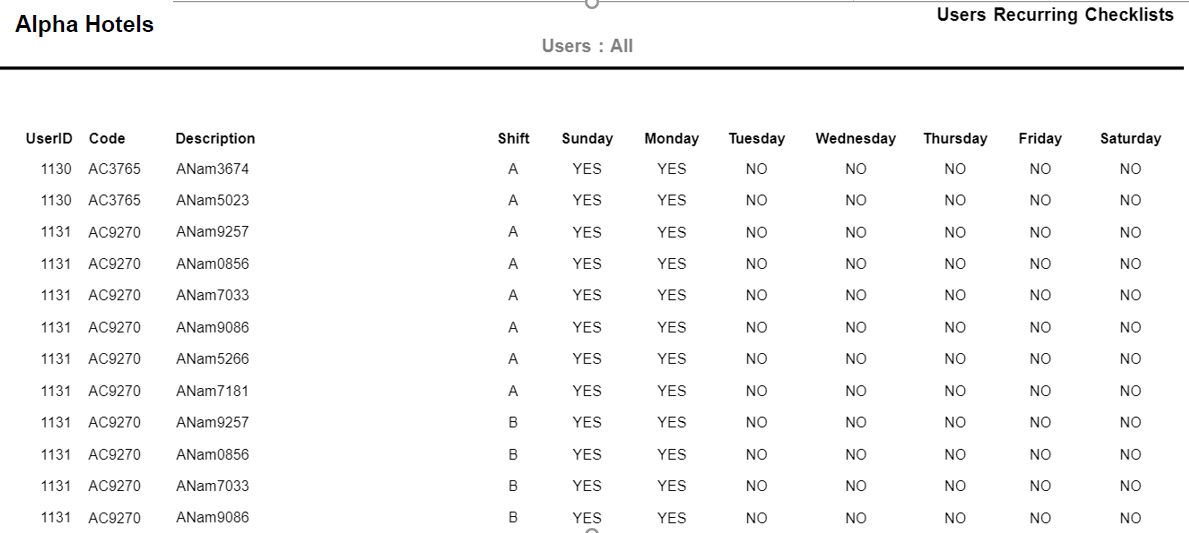
Sample Report
Report Fields
|
Field |
Description |
|---|---|
|
UserID |
The identification number of the user to whom any checklist has been mapped. |
|
Code |
The unique code or name of the checklist created in the Checklist Code (Settings à Setup à General à Checklist Codes) screen. |
|
Description |
The task description entered for the checklist in the Create Checklist Task (Settings à Setup à General à Checklist Details à Create Checklist Task) screen. |
|
Shift |
The shift at which the recurring checklist will be used by the users. |
|
Days |
All the days of the week will be listed as separate columns and one of the following values will be displayed in each of those columns:
|