Invoice Aging Report
Report Parameters
|
Field |
Description |
|---|---|
|
Report Name |
The name of the report. |
|
Date to Age Against |
The date for which the report must be generated. |
|
Report Options |
Available options include the following:
|
|
Select Options |
Available options include the following:
|
|
A/R Account Names |
A drop-down list of all the available A/R account names. |
|
A/R Account Codes |
A drop-down list of all the available A/R account codes. |
|
A/R Account Categories |
A drop-down list of all the available A/R account categories. |
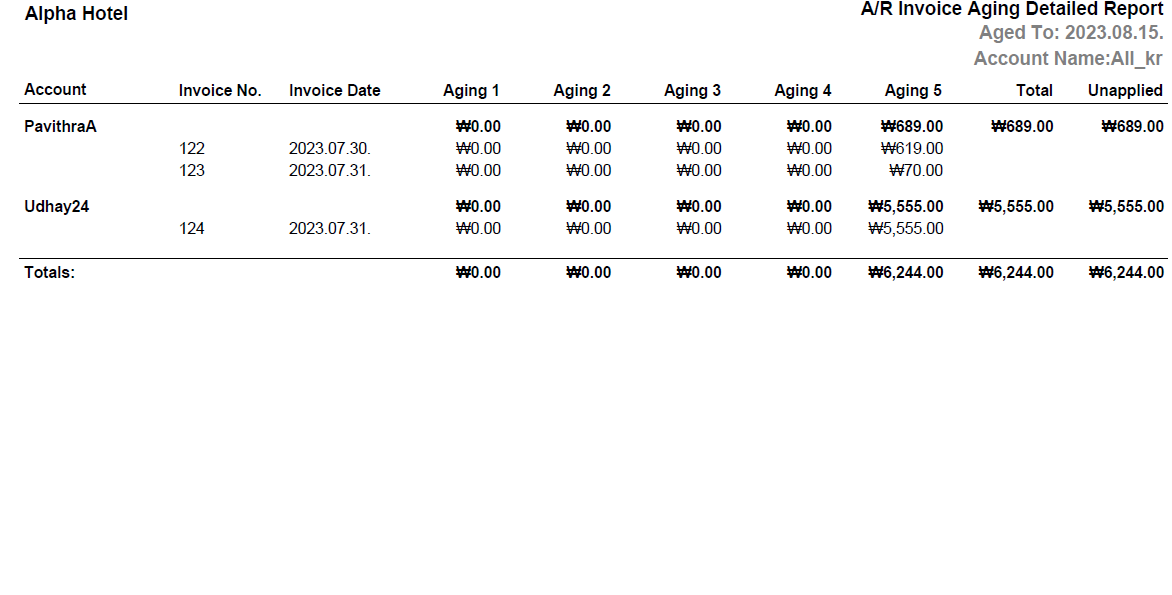
Sample Report - Detailed
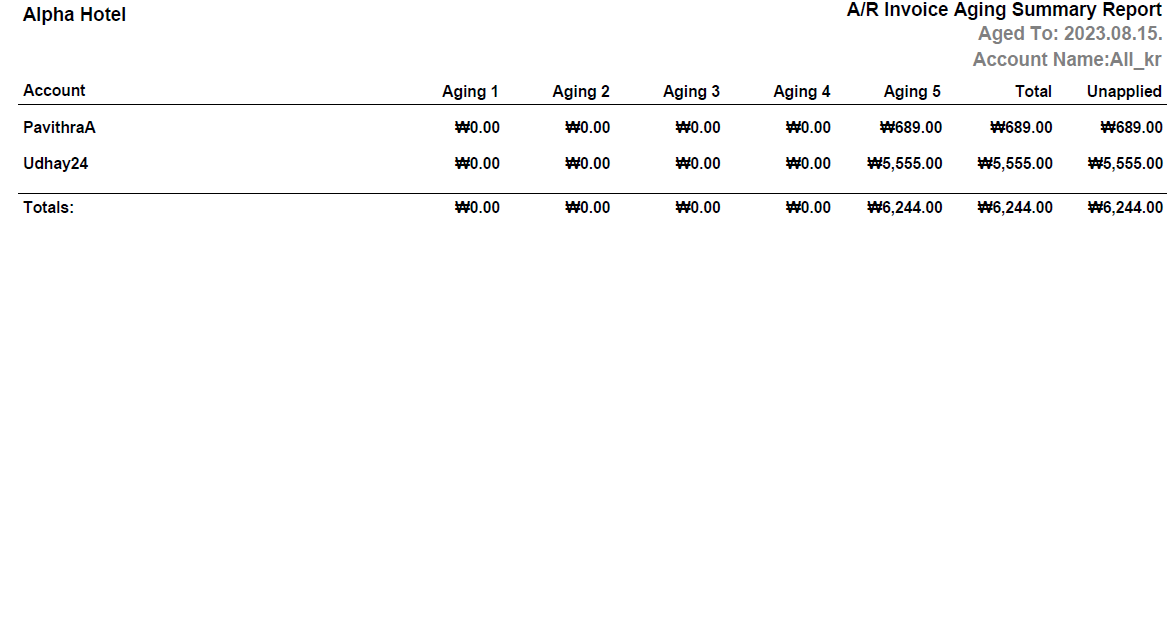
Sample Report - Summary
Report Fields
|
Field |
Description |
|---|---|
|
Account |
The name of the A/R account. |
|
Invoice No. |
The invoice number of the A/R account. |
|
Invoice Date |
The date on which the invoice was generated. |
|
Aging 1 |
The invoice amount for the first aging period. |
|
Aging 2 |
The invoice amount for the second aging period. |
|
Aging 3 |
The invoice amount for the third aging period. |
|
Aging 4 |
The invoice amount for the fourth aging period. |
|
Aging 5 |
The invoice amount for the fifth aging period. |
|
Total |
The total outstanding amount of an A/R account of all aging periods. |
|
Unapplied |
The total unapplied invoice amount. |