Paid Travel Agent Checks Report
Report Parameters
|
Field |
Description |
|---|---|
|
Report Name |
The name of the report. |
|
Start Date |
The date from when the data must be considered for generating the report. |
|
End Date |
The date until when the data must be considered for generating the report. |
|
Report Options |
The available options include the following:
|
|
Select Currency |
Select the preferred currency from the drop-down list to be considered for generating the report. |
|
Travel Agency |
Select one or more options from the drop-down list or the All option. The report will generate records based on the selected travel agencies. By default, the All option is selected. |
|
Bank Codes |
Select the preferred bank code. The report will generate records based on the selected bank code, which must match the configured T/A Check Bank Accout in the Other System Switches / Defaults screen. By default, the first option in the drop-down list is selected. |
|
Settlement Type |
Select one of the following options, and the report will generate records based on the selected settlement type, by default, All is selected:
|
Sample Report
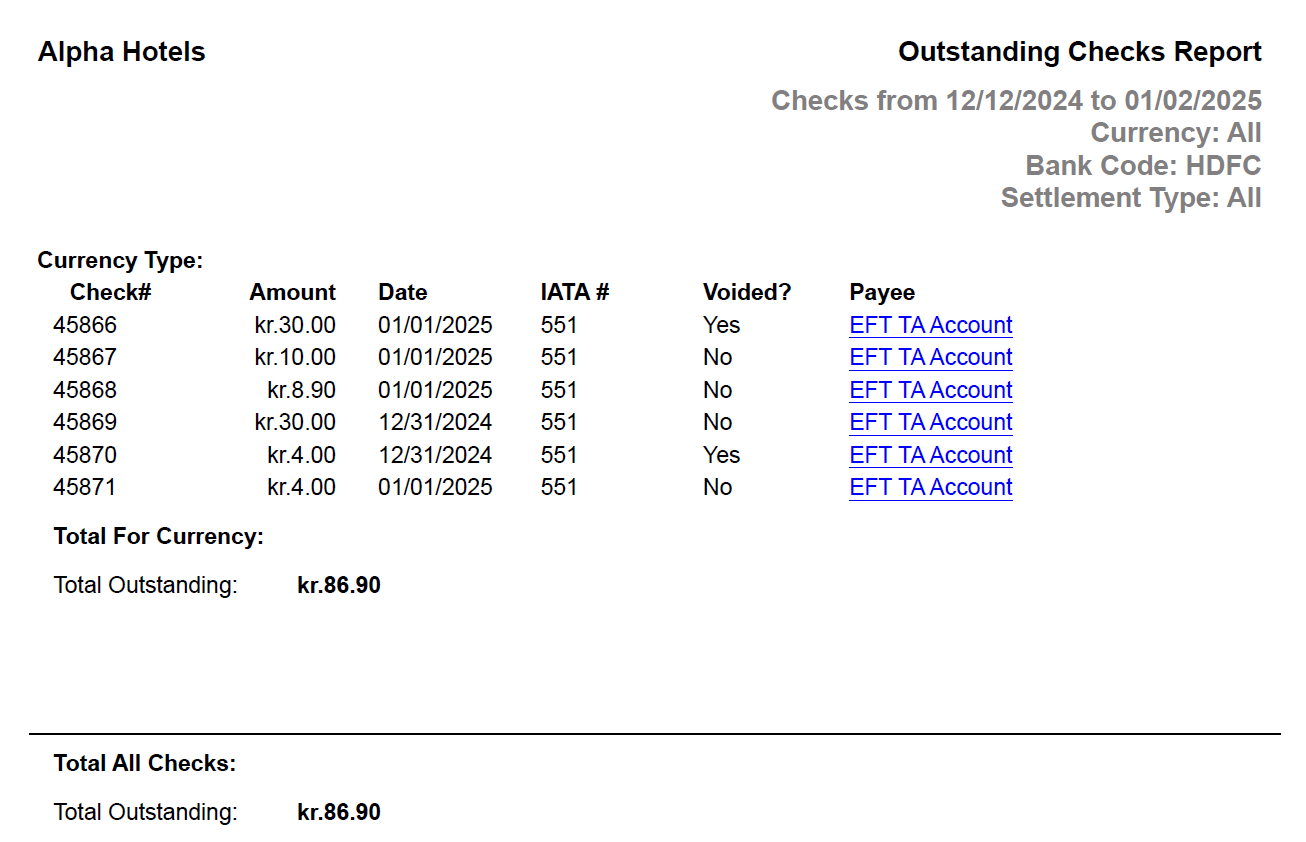
Report Fields
|
Field |
Description |
|---|---|
|
Check # |
The check number of the commission check. |
|
Amount |
The total commission amount on the check. |
|
Date |
The date when the check was issued. |
|
IATA # |
The IATA number of the travel agent. |
|
Voided? |
Indicates whether the check has been voided (Yes/No). |
|
Payee |
The recipient’s name of the check will appear as a hyperlink and clicking it will navigate the user to the Edit Travel Agent Account screen. |
|
Total For Currency (Total Outstanding) |
The total outstanding amount for the selected currency. |
|
Total All Checks (Total Outstanding) |
The total outstanding amount for all checks. |