Payment History Analysis
Report Parameters
|
Field |
Description |
|---|---|
|
Report Name |
The name of the report. |
|
From Date |
The start date from when the data must be considered for generating the report. |
|
To Date |
The end date until when the data must be considered for generating the report. |
|
Report Options |
Available options include the following:
|
|
Sort Options |
Available options include the following:
|
|
Select Options |
Available options include the following:
|
|
A/R Account Names |
A list of all the available A/R account names. This field is displayed when Account Name is selected in select options. |
|
A/R Account Codes |
A list of all the available A/R account codes. This field is displayed when Account Code is selected in select options. |
|
A/R Account Categories |
A list of all the available A/R account categories. This field is displayed when Account Category is selected in select options. |
Sample Report
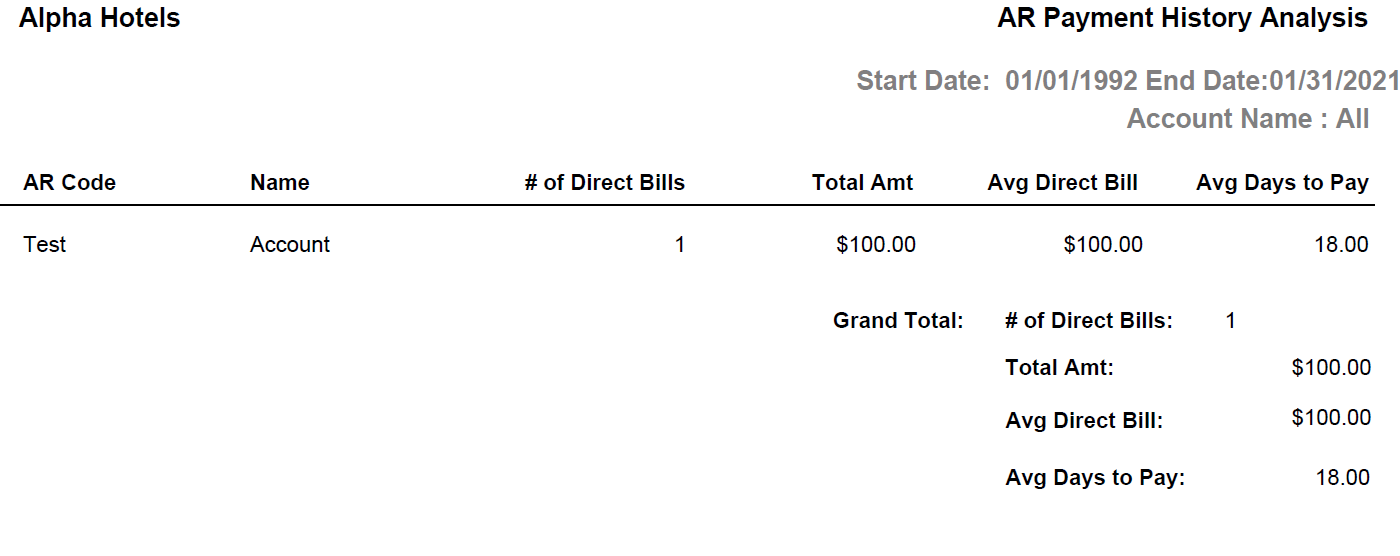
Report Fields
|
Field |
Description |
|---|---|
|
AR Code |
The AR account code of the customer in which the payment activity was done. |
|
Name |
The AR account name of the customer. |
|
# of Direct Bills |
The total number of bills which are not allocated completely in the customer account. |
|
Total Amt |
The total amount associated with all the bills. |
|
Avg Direct Bill |
The average direct bill is calculated as follows: Total amount of bill/total number of bills. |
|
Avg Days to Pay |
The number of days between transaction date and current system date is calculated. Then average of all these dates is displayed under Avg Days to Pay column. |
|
Grand Total |
The totals for Number of direct bills, Total Amt, Avg Direct Bill, Avg Days to Pay is displayed in the respective columns. |