Projected Package Revenue
Report Parameters
|
Field |
Description |
|---|---|
|
Report Name |
The name of the report. |
|
Start Date |
The start date from when the data must be considered for generating the report. |
|
End Date |
The end date until when the data must be considered for generating the report. |
|
Boking Status |
A drop-down list consisting of all the booking status codes. Users can select multiple or all the booking status codes from the list to be displayed in the report generated. |
|
Booking Classification |
Available options include the following:
|
|
Booking Classification |
The drop-down displays values based on the option selected in the booking classification field. Example: the drop-down consists of origin names if By Origin is selected as Booking Classification. |
Sample Report
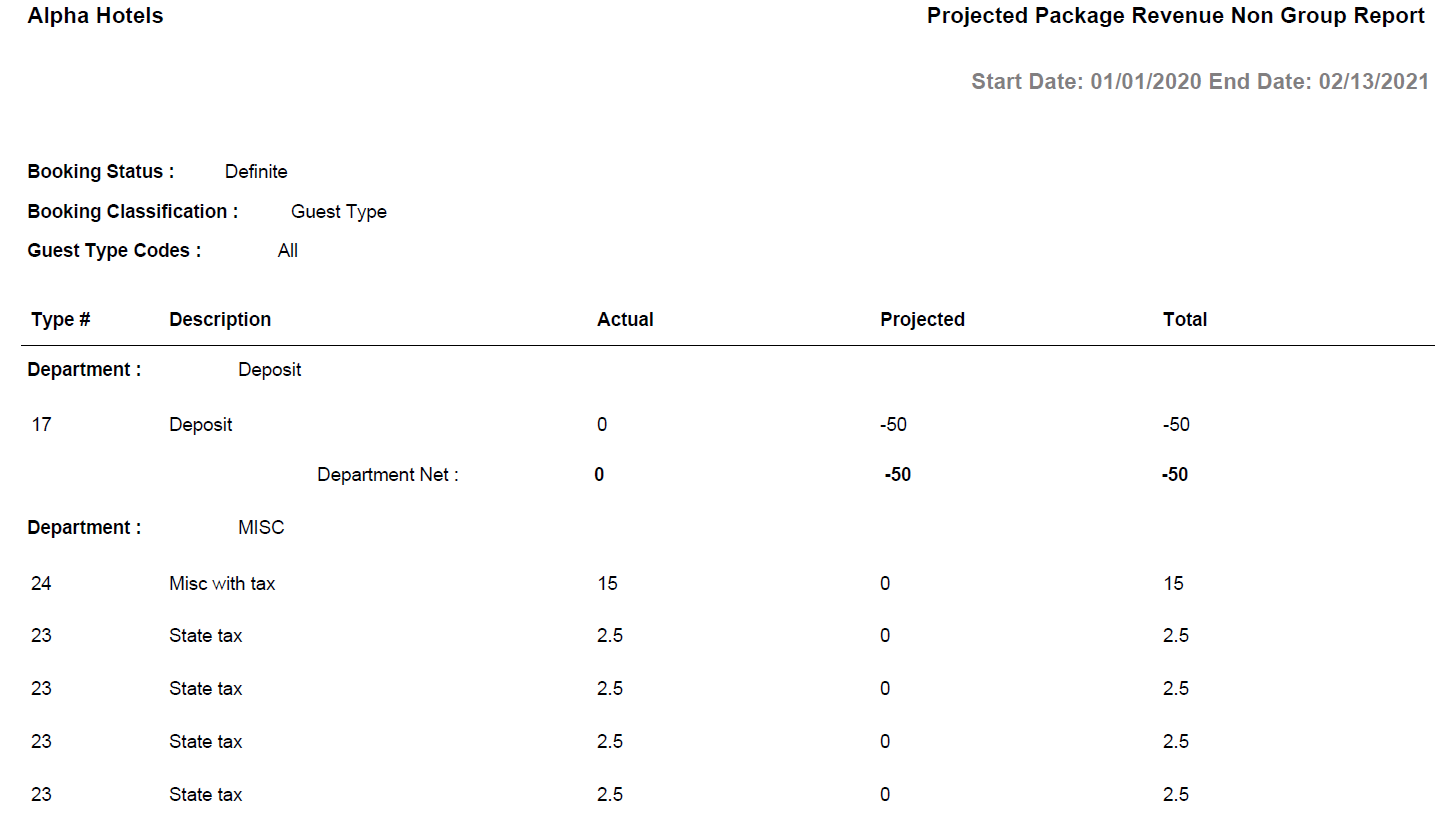
Report Fields
|
Field |
Description |
|---|---|
|
Department |
The department to which the post type is associated. |
|
Type # |
The code that identifies the post type. |
|
Description |
The name of the post type. |
|
Actual |
The actual revenue posted for the package. |
|
Projected |
The anticipated revenue for the package. |
|
Total |
The sum of actual revenue and projected revenue for a post type. |
|
Department Net |
The sum of actual and projected revenue for a department is displayed. |