Room Rate Report
Report Parameters
|
Field |
Description |
|---|---|
|
Report Name |
The name of the report. |
|
Report Options |
Available options include the following:
|
|
Display Options |
Available options include the following:
|
|
Group By Building |
When enabled, groups the records in the report by building. |
|
Include Recurring Charges |
Includes recurring charges in the report. |
|
Room Type |
A selection list consisting of all the room types. Users can select multiple or all the room types from the list to be displayed in the report generated. |
Sample Report
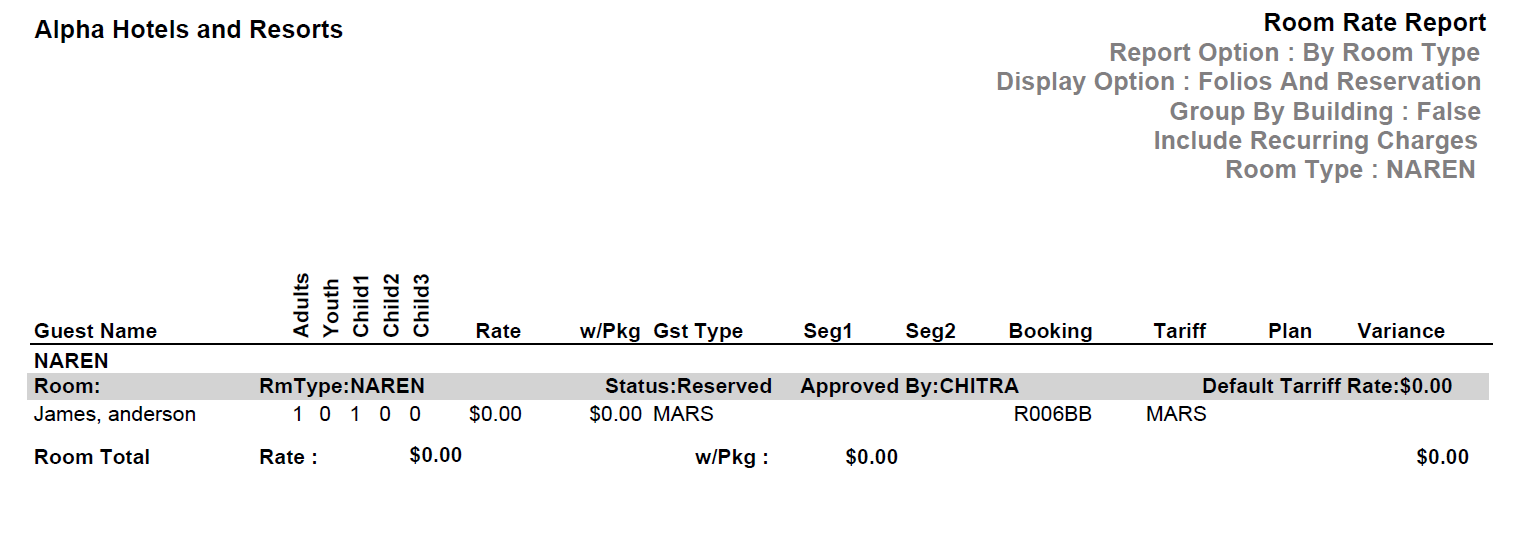
Report Fields
|
Field |
Description |
|---|---|
|
Guest Name |
The last name and first name of the guest added to the reservation. |
|
Adults |
The number of adults on the reservation. |
|
Youth |
The number of youths on the reservation. |
|
Child1 |
Number of children in the child 1 age category. |
|
Child2 |
Number of children in the child 2 age category. |
|
Child3 |
Number of children in the child 3 age category. |
|
Rate |
The rate of the room type selected for the reservation. |
|
w/Pkg |
Room rate for the reservation including the package. |
|
Gst Type |
The guest type selected when creating the reservation. |
|
Seg1 |
The segment 1 code selected when creating the reservation. |
|
Seg2 |
The segment 2 code selected when creating the reservation. |
|
Booking |
A unique ID that identifies the booking. |
|
Tariff |
The tariff of the preferred room type. |
|
Plan |
Name of the package offer reserved by the guest. |
|
Variance |
The difference in value of rate without including the package. |
|
Room Total |
The sum of expected room rate revenue. |