Work Orders
Report Parameters
|
Field |
Description |
|---|---|
|
Report Name |
The name of the report. |
|
Start Date |
The start date from when the data must be considered for generating the report. |
|
End Date |
The end date until when the data must be considered for generating the report. |
|
Status |
Available options include the following:
|
Sample Report
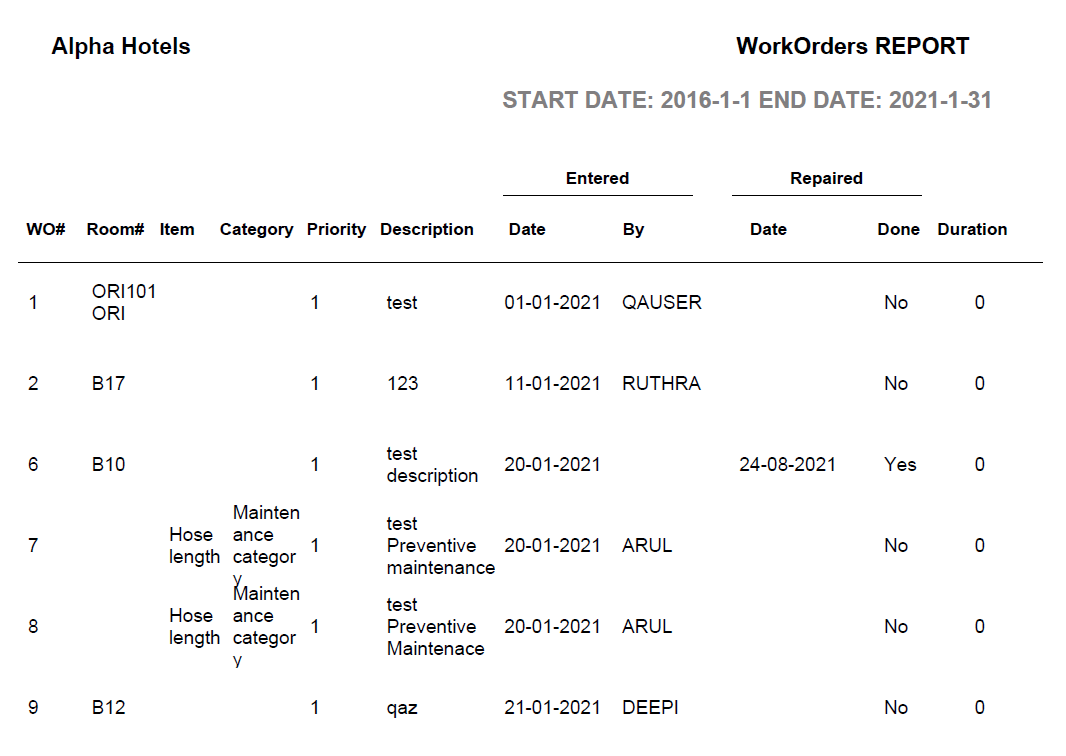
Report Fields
|
Field |
Description |
|---|---|
|
WO# |
The work order number. |
|
Room# |
The room number where the maintenance issue has occurred. |
|
Item |
The item/equipment in need of repair. |
|
Category |
The maintenance category to which the work order belongs. |
|
Priority |
The priority of the request. |
|
Description |
The description of the maintenance issue. |
|
Entered |
|
|
Date |
The date the work order entry is made. |
|
By |
User who made the work order entry. |
|
Repaired |
|
|
Date |
The date the maintenance issue was resolved. |
|
Done |
Indicates whether the maintenance issue was resolved. |
|
Duration |
The number of days it took to complete the task. |