Refunding Deposits
Agilysys Versa allows users to perform refunds of deposits collected for reservations that were not successfully created in the system, that is, the confirmation ID for the booking was not generated.
Breakpoint: 190451 - Refund Deposit for isolated transactions (Front Office - Front Desk)
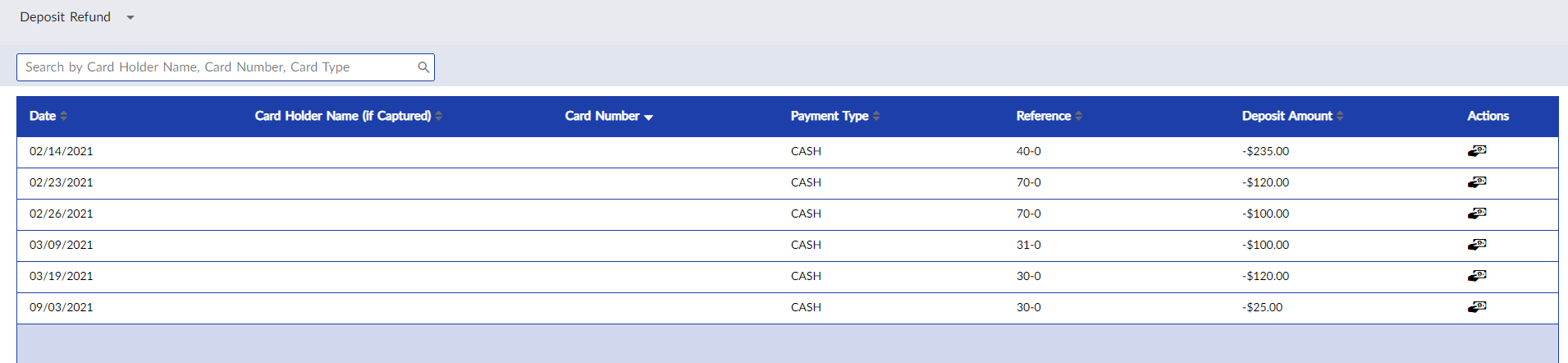
On clicking the Refund icon in the Actions column for the preferred deposit record, the refund will be initiated to the original payment mode and the record will be deleted from the grid.
Before initiating the refund for a failed booking, if the user creates a new reservation for the same guest, the following message is displayed: The selected guest already paid a deposit. Do you want to attach it to the reservation?
-
On clicking Yes, the deposit paid will be attached to the current reservation and the guest does not have to make a deposit again. Also, the record of that deposit from the Deposit Refund screen will be deleted.
-
On clicking No, the deposit paid will not be added to the current reservation and the record of it in the Deposit Refund screen will be retained.