Sync Reservation and Booking Tasks to Microsoft Planner
The Sync Tasks option in the Home screen allows users who have logged on to their Microsoft account to automatically sync tasks created for individual reservations and group bookings to Microsoft Planner. Earlier, created tasks were synced to Microsoft Outlook.
This feature is applicable for SaaS customers using Azure AD login only.
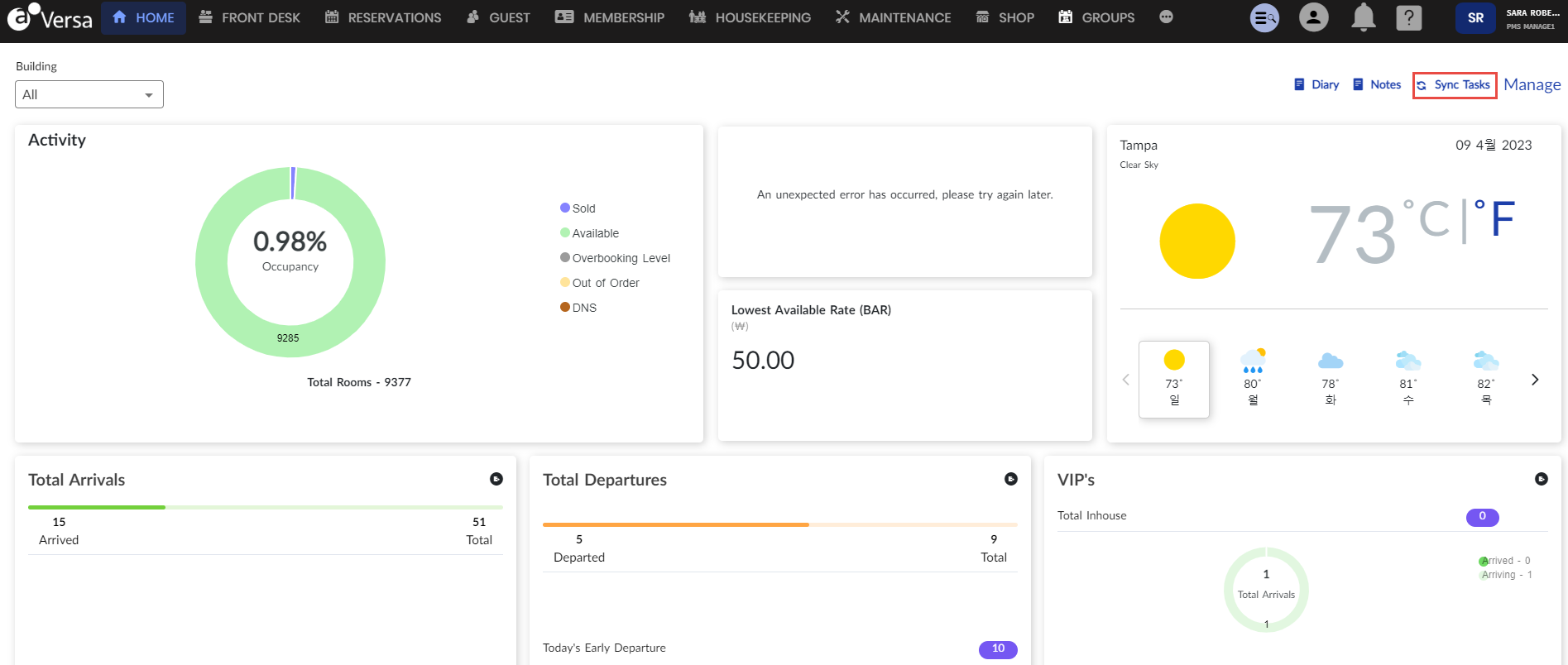
The values entered for the following fields in created tasks (in the Add Task pane) will be synced to Microsoft Planner:
-
Assigned To
-
Due Date
-
Priority
-
Task
-
Status
-
Notes
Except the task status, if the user modifies the values of any other fields in Microsoft Planner, the same will not be updated in Versa.
Optionally, the user can also click the Sync icon in the Tasks tab of the Edit Reservation or Edit Booking screen to sync tasks created only for that reservation or booking in Versa to Microsoft Planner.